Block distracting apps. Instantly. On your phone, or your kid's.

Kids Block is a dead simple app blocker for iPhone and iPad. Pick the apps or whole categories you want gone, then block them with one tap. Set a reminder to unblock, and lock it all behind a PIN or Face ID. Private, on device, no subscription.

Private, on device  ·  No subscription  ·  Built on Apple Screen Time

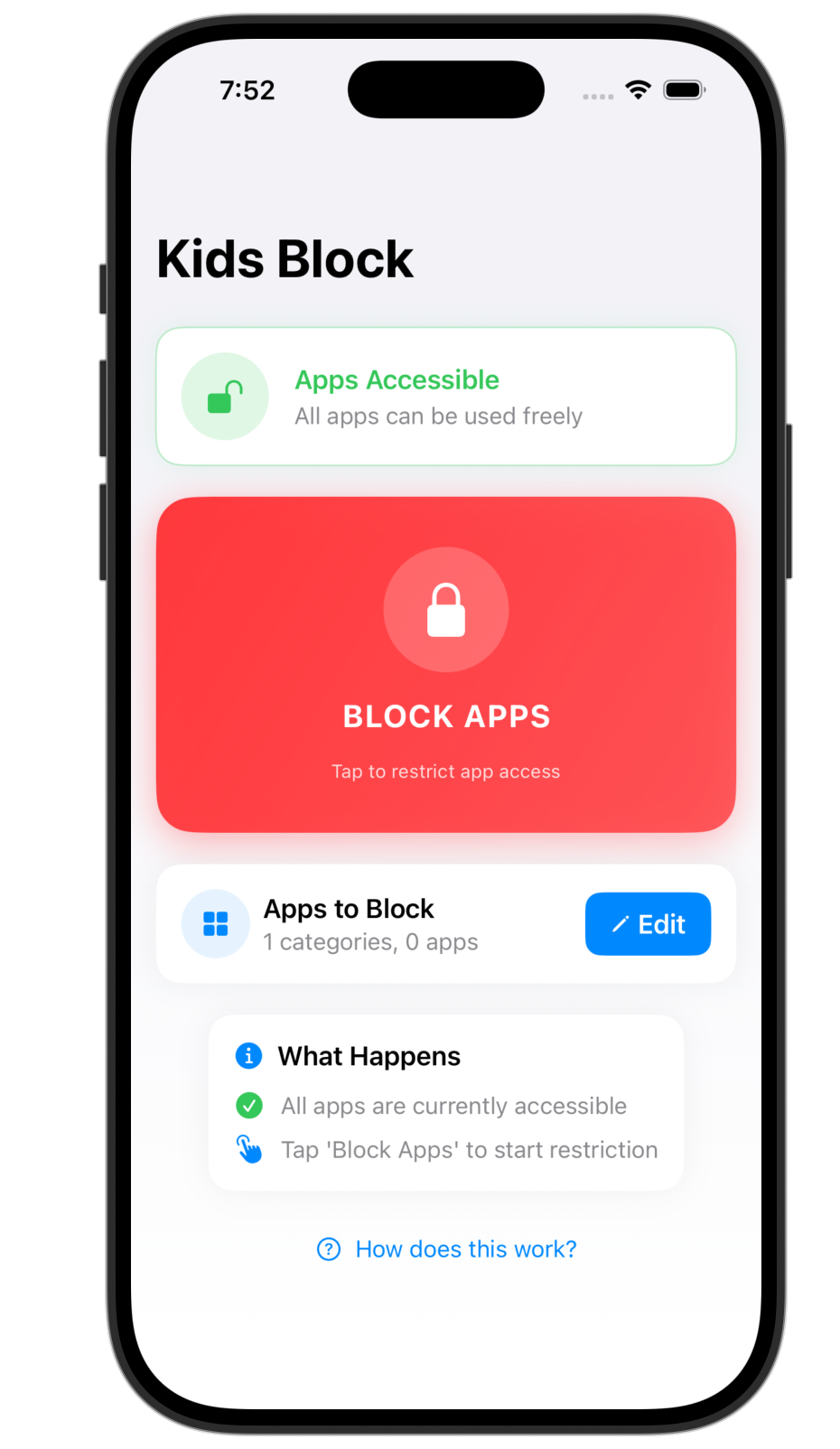
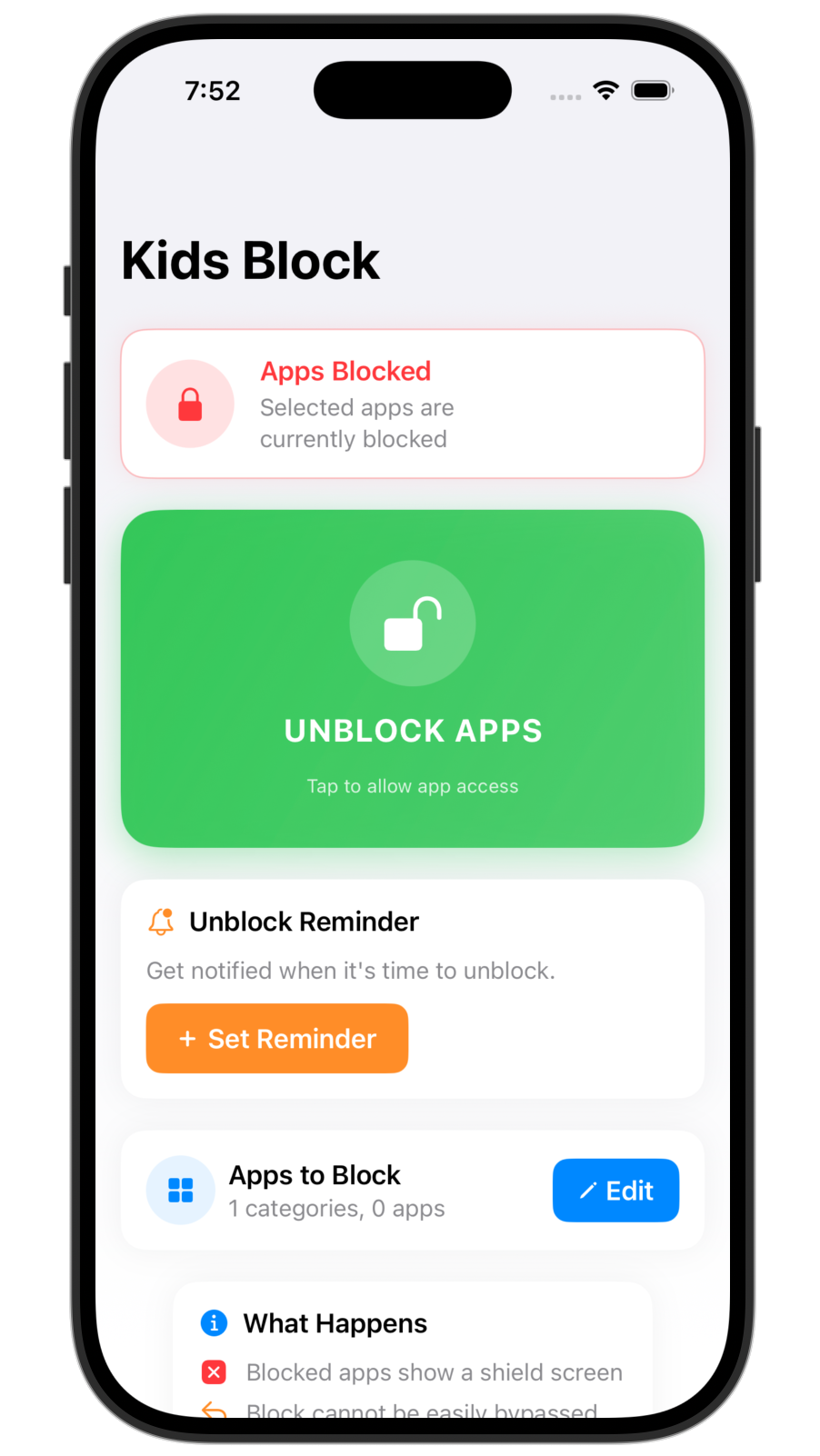
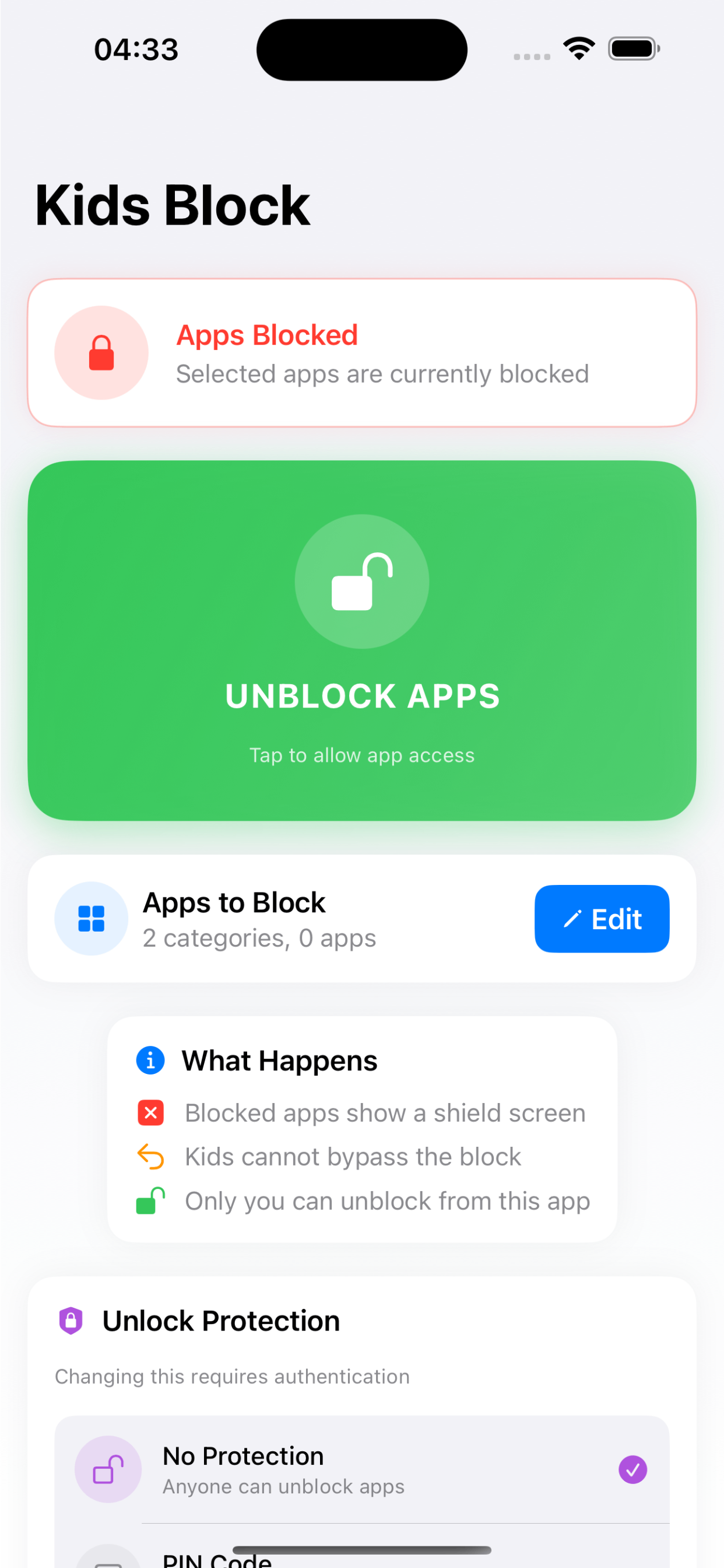
Kids Block main screen with all apps accessible and a large red Block Apps button Kids Block main screen with apps blocked, a green Unblock Apps button, and an unblock reminder
How it works

Three taps to a calmer phone.

No schedules to build, no dashboards to learn. Choose what to block, tap the button, and the apps are locked until you say otherwise.

1

Pick the apps

Choose individual apps like TikTok, Instagram, or YouTube, or block whole categories such as Social, Games, and Entertainment at once.

2

Tap to block

Hit the big Block button. Every selected app is restricted instantly, across the whole device.

3

They stay blocked

Open a blocked app and iOS shows a shield screen instead. It stays that way until you unblock, or your reminder fires.

One tap

Block everything, all at once.

No per app fiddling every time. One tap blocks your whole list, and one tap brings it all back. The button turns red when apps are free and green when they are blocked, so the state is obvious at a glance.

  • Instant. Blocking and unblocking apply across the device the moment you tap.
  • Shield screen. Blocked apps open to a system shield, not the app, so the block actually holds.
  • Stays put. Your selection is remembered, so blocking again tomorrow is a single tap.
Kids Block showing apps blocked, with a green Unblock Apps button and an active unblock reminder
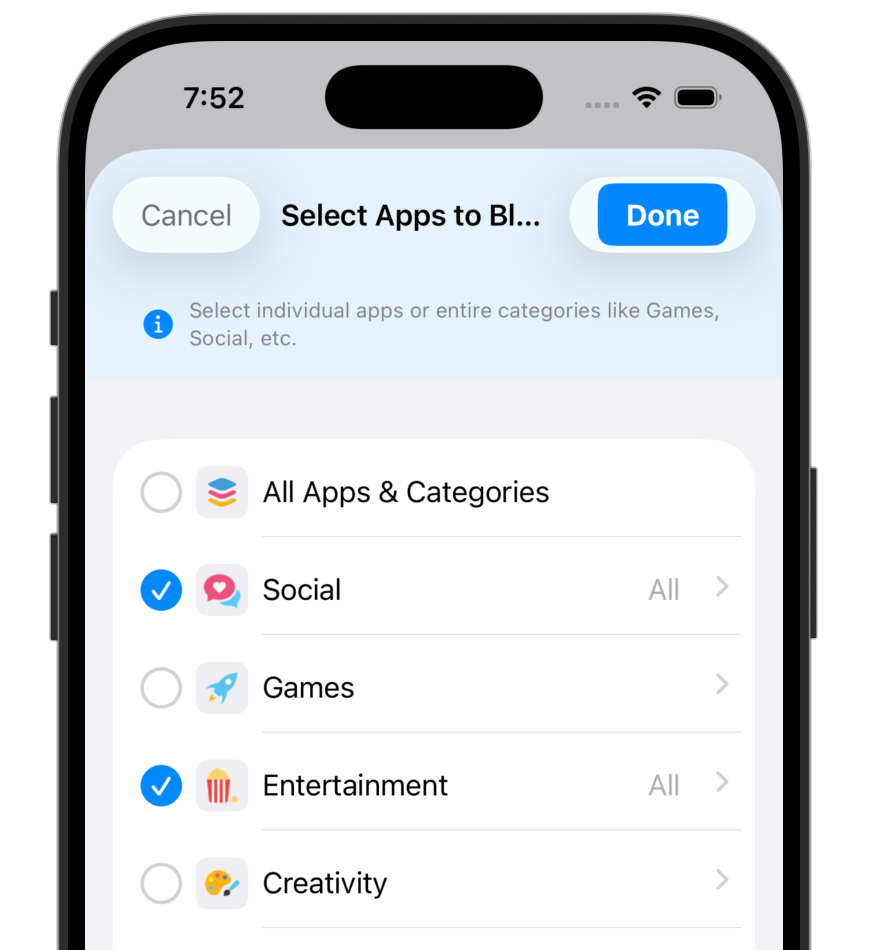
The Select Apps to Block screen with categories such as Social, Games, and Entertainment, using Apple's app picker
Apps and categories

Block one app, or a whole category.

Tap a single app to block just that one, or pick an entire category to cover everything in it, including apps installed later. It uses Apple's own app picker, so your full app list is available.

  • Single apps. TikTok, Instagram, YouTube, Snapchat, Safari, or any game on the device.
  • Whole categories. Social, Games, Entertainment, and more, all in a single choice.
  • Future proof. A blocked category also covers new apps your child installs later.
How selection works
Unblock reminders

Block now, get reminded later.

Set a reminder when you block, and Kids Block notifies you when it is time to unblock. Perfect for a 30 minute homework sprint, a focused work session, or blocking everything until morning.

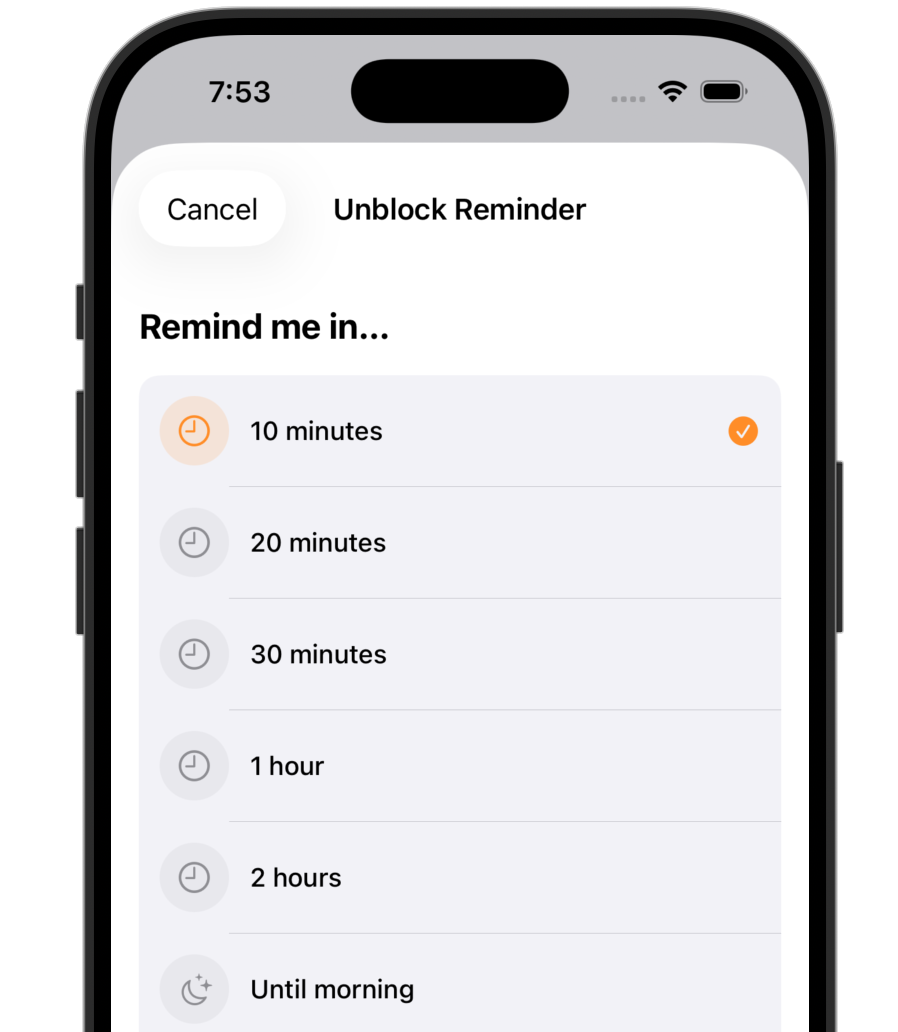
  • Quick presets. 10, 20, or 30 minutes, 1 hour, 2 hours, or until morning.
  • Custom time. Pick any time of day to be reminded.
  • A nudge, not a loophole. The reminder tells you when to unblock, you stay in control of when it actually happens.
The Unblock Reminder screen with options for 10, 20, and 30 minutes, 1 hour, 2 hours, and until morning
Kids Block Unlock Protection settings offering No Protection, PIN Code, and Face ID
Protection

Lock it behind a PIN or Face ID.

Turn on a 4 digit PIN or Face ID and the controls are sealed. Unblocking, editing the app list, or changing the protection method all require it, so the block cannot be casually switched off.

  • PIN code. A 4 digit code only you know, ideal on a child's device.
  • Face ID. Use your face as the key on your own phone for friction free focus.
  • Friction by design. The pause before unblocking is often all it takes to put the phone back down.
Everything it does

A focus tool and a parental control, in one tap.

One tap block and unblock

Restrict your whole list, or release it, with a single button. No menus, no schedules to maintain.

Apps and categories

Block a single app or an entire category like Social or Games, future installs included.

Unblock reminders

From 10 minutes to until morning, or any custom time. Block now and get a nudge when it is time.

PIN and Face ID lock

Seal the controls so unblocking needs a 4 digit PIN or your face. Kids cannot just turn it off.

Private and on device

Built on Apple Screen Time. Nothing is collected or sent anywhere, and it works with no internet.

Pay once, no subscription

A one time App Store purchase. No monthly plan, no account, no upsell inside the app.

How it compares

The simple, private way to block apps.

Most blockers want a monthly subscription and an account. Apple Screen Time is free but fiddly, and a child who knows the passcode can switch it off. Kids Block keeps it simple and pays for itself once.

Feature Kids Block Subscription blockers Apple Screen Time
Block apps and whole categories in one tap Fiddly
Works for parental control and personal focus Usually one or the other Partly
No account or sign up No
One time price, no subscription Subscription Free
Fully private, nothing leaves your device Often no
PIN or Face ID friction so it is not casually turned off Partly Passcode can disable it
Private by design

What you block is nobody's business but yours.

On device only

Kids Block uses Apple's Screen Time framework to do its work locally. Your app list and settings never leave the device.

No accounts, no tracking

No sign up, no analytics, no ads, no servers. There is no internet connection needed for blocking, and nothing to leak.

Apple's own framework

Built on Family Controls and Managed Settings, the same system that powers iOS Screen Time. Sandboxed and App Store distributed.

Use cases

One button, many reasons.

Whether you are raising a kid or wrangling your own attention, the flow is the same: pick, block, breathe.

For parents

Limit a child's screen time

Block games and social apps on your child's iPhone or iPad, and protect it so they cannot undo it.

Pick Games and Social, block with one tap, lock it behind a PIN only you know.

For students

Study without the pull

Silence the apps that derail homework, then let a reminder bring them back after the session.

Pick TikTok and Instagram, block for 30 minutes, get reminded when study time is up.

For deep work

Protect your focus

Cut the doomscrolling on your own phone during work blocks, with Face ID as the only way back in.

Pick your distractions, block for 2 hours, unlock only with Face ID.

For bedtime

Wind down and detox

Block the whole Entertainment and Social pile until morning for a calmer, screen free evening.

Pick Entertainment and Social, block until morning, wake up to a clear head.

FAQ

Questions, answered.

What is Kids Block?

Kids Block is an app blocker for iPhone and iPad. You choose which apps or categories to restrict, then block them with one tap. Blocked apps show a shield screen until you unblock. Use it as parental control on a child's device, or as a focus tool on your own phone.

Does Kids Block need a subscription?

No. Kids Block is a one time purchase from the App Store. There is no subscription, no account, and no in app upsell. You pay once and all features are unlocked.

Can my child just turn the block off?

You can lock the controls behind a 4 digit PIN or Face ID. With protection on, unblocking, editing the app list, or changing settings all require the PIN or your face, so a child cannot simply switch it off.

Is my data private?

Yes. Kids Block is built on Apple's Screen Time (Family Controls) framework and runs entirely on device. It collects no personal data, has no analytics, ads, or trackers, requires no account, and works without an internet connection.

Which apps can I block?

You can block individual apps such as TikTok, Instagram, YouTube, Snapchat, or any game, and you can block whole categories like Social, Games, and Entertainment in a single choice. The selection uses Apple's own app picker.

Is it a good alternative to Opal, Freedom, or Qustodio?

If you want a simple, private app blocker without a subscription, yes. Kids Block focuses on one tap blocking, unblock reminders, and PIN or Face ID protection, it works for both parental control and personal focus, and it is a one time purchase rather than a recurring plan.

Does it work on iPad?

Yes. Kids Block runs on iPhone and iPad with iOS or iPadOS 16 or later.
Take back the phone. One tap at a time.

Download on the App Store